
Online accessibility standards are the technical guidelines that ensure websites, learning platforms, and digital tools work for everyone, including people with disabilities. For students, these standards translate directly into your ability to access course materials, participate in online discussions, and complete assignments without unnecessary obstacles. The Web Content Accessibility Guidelines (WCAG), developed by the World Wide Web Consortium, set the global benchmark that educational institutions and employers increasingly follow.
Understanding these standards matters more than you might think. When a university adopts accessibility guidelines, it means screen readers can navigate the site for students with visual impairments, captions appear on lecture videos for those who are deaf or hard of hearing, and keyboard navigation works for anyone who can’t use a mouse. But the reality is that many educational platforms still fall short, creating hidden barriers that affect not just students with disabilities but anyone facing temporary challenges, like a broken laptop trackpad or a noisy study environment where audio won’t work.
Your rights as a student are clearer than ever in 2026. Most countries require educational institutions receiving public funding to provide accessible digital experiences. This isn’t just about compliance checkboxes. Accessible design benefits everyone through clearer navigation, better mobile experiences, and content that’s easier to read and understand.
For your career, knowing accessibility standards gives you an edge. Employers value professionals who understand inclusive design, particularly in tech, marketing, education, and public service. Whether you’re studying web development, instructional design, or business communication, accessibility knowledge demonstrates that you’re prepared to create work that reaches every audience.
What Online Accessibility Standards Actually Mean
Online accessibility standards are the rules that make sure websites and digital platforms work for everyone, including people with disabilities. Think of them as building codes for the internet, just as physical buildings need ramps and elevators, websites need features that let all students access content, regardless of how they navigate online.
Three main standards guide digital accessibility in education. The Web Content Accessibility Guidelines (WCAG) provide the technical blueprint that designers and developers follow worldwide. The Americans with Disabilities Act (ADA) requires schools and businesses to make their digital services accessible, which means your university’s learning platform legally must work for everyone. Section 508 specifically covers federal institutions and any organization receiving federal funding, ensuring that educational technology purchased with public money meets accessibility requirements.
Here’s what these standards actually mean in practice:
- WCAG (Web Content Accessibility Guidelines)
- International standards that define how to make web content perceivable, operable, understandable, and robust for all users. These guidelines cover everything from text alternatives for images to keyboard navigation.
- ADA Compliance
- Legal requirement that websites and digital platforms provide equal access to people with disabilities. For students, this means your school’s online resources must be accessible or they’re breaking federal law.
- Section 508
- U.S. federal standard requiring accessible technology in government agencies and institutions receiving federal funding. Most universities fall under this, which is why your learning management system should meet these requirements.
- Universal Design
- Design approach that creates products usable by the widest range of people from the start, rather than adding accessibility features later. When applied well, it benefits everyone, not just those with disabilities.
The ADA web accessibility requirements translate into real features you interact with daily: captions on video lectures, screen reader compatibility for course readings, keyboard shortcuts for navigation, and proper color contrast that works for students with visual impairments. When a platform follows these standards, you can adjust text size without breaking the layout, navigate entirely by keyboard if needed, and access alternative formats of course materials.
These aren’t just technical checkboxes. They determine whether you can actually use the tools your education depends on, from submitting assignments to participating in online discussions.
How Accessibility Standards Shape Your Learning Experience
Better Content for Everyone
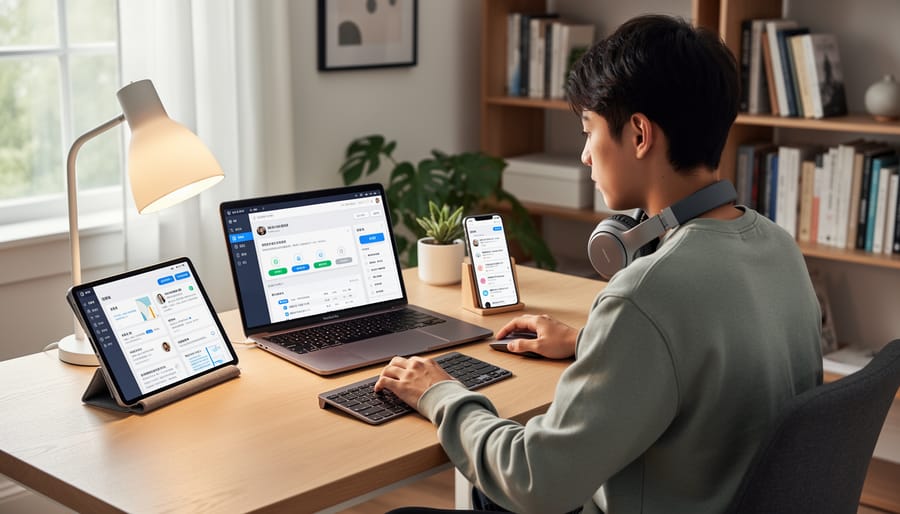
When you open a course that follows accessibility standards, you benefit immediately, even if you’ve never thought about accessibility before. Clear headings organize material so you can skim to find what you need. High-contrast text means no squinting at grey-on-grey layouts. Videos with captions let you study in a noisy café or a quiet library without headphones. These aren’t special accommodations; they’re design choices that make learning easier for everyone.
Accessible platforms use consistent navigation, so you spend less time hunting for assignment links and more time learning. Readable fonts reduce eye strain during long study sessions. Properly structured content works smoothly on your phone when you review notes on the bus, then switches to your laptop without losing your place. Research on inclusive education through technology confirms what students experience firsthand: accessible design creates better outcomes for all learners by removing unnecessary barriers and cognitive load. You’re not dealing with the platform’s quirks, you’re focused on mastering the material.
Flexible Learning on Your Terms
Accessibility features remove the rigid constraints of traditional learning environments, letting you study when and where it works for your life. Whether you’re commuting on your phone, reviewing materials on a tablet in a café, or working through a lecture on your laptop at 2 a.m., properly designed platforms adapt seamlessly. This flexibility isn’t just convenient, it’s essential when you’re balancing coursework with part-time work, caring responsibilities, or health challenges that make fixed schedules impossible.
Standards like WCAG and responsive reflow ensure content adjusts intelligently across screen sizes without losing functionality or forcing horizontal scrolling. That means you can switch from desktop to mobile mid-assignment without encountering broken layouts or unreadable text. Features like adjustable playback speeds, downloadable transcripts, and offline access to materials give you control over how and when you engage with content. If you need to pause a video lecture to rewind a complex concept or review course notes during your commute without data connection, accessible design makes that possible. This adaptability supports everyone, from students managing disabilities to those navigating unpredictable schedules, creating genuine equality in who can succeed in online education.
What to Look for in Accessible Educational Platforms
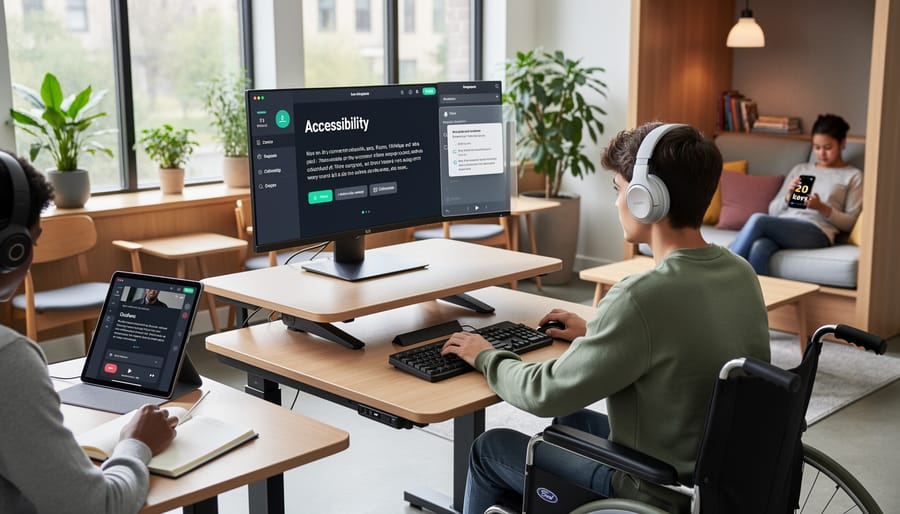
When evaluating online courses or learning platforms, you’re essentially choosing the tools that will shape your educational experience. The right platform can make learning smooth and engaging, while a poorly designed one creates unnecessary friction that has nothing to do with the actual difficulty of the subject matter.
Start by testing the platform yourself before committing to a course. Navigate through a demo or free trial using only your keyboard, no mouse. Can you reach everything? Tab through menus, forms, and interactive elements to ensure they’re all accessible. If you get stuck or can’t access certain features, that’s a red flag. Similarly, check whether videos include accurate captions (not just auto-generated ones that misinterpret technical terms) and whether documents are readable by screen readers rather than being scanned image files.
Look for platforms that offer genuine flexibility in how you consume content. Can you adjust text size without the layout collapsing into an unreadable mess? Are color schemes adjustable for those with visual sensitivities? These features benefit everyone, you might want larger text when studying on your phone during a commute, or prefer dark mode when working late at night. True accessibility means the platform adapts to you, not the other way around.
Pay attention to how the platform structures information. Well-organized content with clear headings, logical navigation, and consistent layout helps everyone learn more efficiently. If you’re constantly hunting for where to submit assignments or can’t figure out how modules connect, the platform is creating barriers in higher education rather than removing them.
Don’t hesitate to ask direct questions before enrolling. Contact the course provider and ask specifically about accessibility features, whether they follow WCAG standards, how they handle accommodation requests, and what technical support they offer for accessibility issues. Vague responses or promises to “work something out” if problems arise are warning signs. Institutions committed to accessibility will have clear, detailed answers ready because they’ve already built these features into their platforms.
Remember that you’re not being difficult by expecting accessible design. You’re choosing a platform that respects your time and learning needs, which is exactly what you should do when investing in your education.
Your Rights and What Schools Must Provide
As a student, you have a legal right to equal access to education, and that includes all online platforms and digital materials your institution uses. In the United States, the Americans with Disabilities Act (ADA) and Section 504 of the Rehabilitation Act require colleges and universities to provide reasonable accommodations that ensure students with disabilities can fully participate in their education. Similar protections exist in other countries, including Canada’s provincial human rights codes and the UK’s Equality Act.
What does this mean in practice? Your school must make sure that learning management systems, online lectures, course readings, and digital assignments are accessible. If you have a documented disability, you’re entitled to accommodations like extended time on tests, alternative formats for textbooks, captioned videos, or screen-reader-compatible materials. You don’t need to figure this out alone, most institutions have a disability services office (sometimes called accessibility services or student support) that coordinates these accommodations.
Requesting support is straightforward. Start by contacting your school’s disability services office, usually found through the student affairs or student life section of your institution’s website. You’ll typically need to provide documentation of your disability from a qualified professional, then work with a counselor to identify which accommodations will help you succeed. This might include technology tools, adjusted deadlines, or modifications to how you access course content.
If you encounter barriers, like an inaccessible online portal or videos without captions, report them to both your instructor and disability services. Most problems stem from oversight rather than intentional exclusion, and your feedback helps break hidden barriers for other students too. You’re not being difficult by advocating for access; you’re helping create a better learning environment for everyone. Keep records of your requests and any responses, and if issues persist, escalate to the department chair or dean of students. Your education matters, and accessible platforms aren’t optional, they’re your right.
Accessibility Standards in the Workplace You’re Entering
Remote Work and Accessibility
Remote work has exploded in recent years, and accessibility standards are quietly ensuring these opportunities remain open to everyone. When video conferencing platforms, project management tools, and collaboration software meet accessibility requirements, they become usable across different work styles and circumstances, not just for people with disabilities.
Think about the features you might already rely on: keyboard shortcuts in Slack, automatic captions in Zoom meetings, or screen reader compatibility in Google Workspace. These exist because accessibility standards push companies to build flexible tools. If you’re working from a noisy café, those captions help you follow a meeting without perfect audio. If you prefer keyboard navigation over constant mouse clicking, accessible shortcuts speed up your workflow.
For students entering the workforce, this matters practically. Employers increasingly use platforms that comply with WCAG standards, meaning you can work effectively from different locations and situations. A chronic illness, temporary injury, or even a bad internet connection won’t lock you out of opportunities. The remote roles you’re pursuing, whether freelance design work, virtual internships, or digital marketing positions, depend on tools built with accessibility in mind, making flexible careers genuinely flexible.
Building Accessibility Awareness as a Career Skill
Understanding accessibility isn’t just about compliance, it’s a marketable skill that sets you apart in any industry. Employers increasingly value professionals who can identify accessibility barriers and champion inclusive design, whether you’re working in tech, marketing, healthcare, education, or customer service.
Start building this competency now by reviewing the accessibility features in tools you already use. Notice how your learning management system handles keyboard navigation, or how your favorite apps provide alternative text for images. When working on group projects, suggest accessible formatting in shared documents, proper heading structures, descriptive link text, sufficient color contrast. These small practices demonstrate initiative and professional awareness.
Consider taking free online courses on web accessibility or inclusive design principles. Many universities offer accessibility workshops through their career services or IT departments. Volunteer to audit student organization websites for accessibility issues, or join campus committees focused on inclusive technology.
In job applications and interviews, cite concrete examples of accessibility thinking, how you structured a presentation for screen readers, or designed materials considering different learning styles. This positions you as someone who understands diverse user needs, a quality that translates to better customer service, more inclusive team collaboration, and stronger problem-solving skills across any role.
Taking Action: Making Your Voice Heard
You don’t need to wait for someone else to fix accessibility problems, you can drive change yourself. Start by documenting specific barriers you encounter: take screenshots, note dates, and describe exactly what doesn’t work (a video without captions, a form you can’t navigate with keyboard alone, PDFs that screen readers can’t process). Concrete evidence makes your feedback actionable rather than abstract.
When you’re ready to report issues or request accommodations, follow this process:
- Contact your institution’s disability services office first, they’re your strongest advocates and know the formal channels.
- Submit a written request describing the specific barrier, how it affects your learning, and what accommodation would resolve it (alternative format, deadline extension, assistive technology).
- Reference relevant standards if applicable, mentioning WCAG or ADA requirements adds weight to your request without sounding confrontational.
- Set a reasonable timeline for response and follow up in writing if you don’t hear back within that period.
- If the initial response isn’t adequate, escalate to the department chair, dean of students, or your institution’s ADA coordinator.
Beyond formal requests, look for collaborative opportunities. Many schools have accessibility committees or student advisory groups where you can contribute to policy improvements. Sharing accessible education tips with classmates creates awareness, and talking with instructors about simple fixes (adding captions, providing transcripts) often yields quick wins.
Remember that advocating for accessibility benefits everyone in your learning community, not just you. Frame your feedback as improving the platform for all students, because it does. Your voice matters, and institutions genuinely want to hear where they’re falling short so they can fix it.
Online accessibility standards aren’t just technical requirements, they’re the foundation for a more inclusive educational landscape and a more equitable workplace. When platforms and institutions prioritize accessibility, everyone benefits from clearer content, better organization, and more flexible learning options. As you move forward in your education and career, you have the power to expect and demand these standards.
Understanding accessibility gives you a competitive edge. Employers increasingly value professionals who can contribute to inclusive environments, and many industries now require accessibility knowledge as a core competency. The platforms and tools you use should support your success, not create unnecessary obstacles.
You’re entering a professional world that’s evolving toward greater accessibility. By advocating for accessible education now, you’re not only improving your own experience but also helping create better opportunities for future students. Whether you’re selecting online courses, choosing employers, or eventually shaping workplace practices yourself, accessibility should be a non-negotiable standard.
Don’t hesitate to speak up when you encounter barriers. Report inaccessible platforms to your institution, collaborate with disability services, and learn how to break barriers that limit educational access. Your voice matters in creating the accessible, supportive learning environments that prepare all students for meaningful careers. The future belongs to those who build inclusively, and that starts with the choices you make today.