
Building a successful career in UX today requires more than research skills and user empathy. You need UI design skills to translate insights into polished, professional interfaces that stakeholders and developers can actually use. Learning visual design, typography, color theory, interaction patterns, and prototyping tools typically takes 3-6 months of focused practice, but the payoff is substantial: broader job opportunities, higher salaries, and the ability to see your ideas through from concept to pixel-perfect mockup.
The demand for hybrid UX/UI designers has grown sharply. Employers in 2026 increasingly prefer candidates who can do both, particularly at startups and mid-sized companies where wearing multiple hats is the norm. According to design leaders we’ve spoken with at major tech firms and design agencies, UX professionals who add UI capabilities stand out in hiring processes and command salaries 15-30% higher than those with research skills alone.
But here’s the challenge: many UX designers approach UI learning backwards. They jump straight into design tools without building foundational visual skills, or they copy trendy interfaces without understanding the principles behind them. The result? Designs that look amateurish or feel disconnected from the user needs they worked so hard to uncover.
This guide walks you through the complete learning path, starting with the essential tools and software you’ll need, followed by core visual design principles, and ending with a step-by-step plan to build a portfolio that proves your skills. You’ll also learn how to verify your progress at each stage and avoid the common mistakes that trip up beginners. Whether you’re a UX researcher looking to expand your skill set or a student planning your career path, you’ll finish with a clear roadmap and the confidence to start designing interfaces that look as good as they function.
Why UX Professionals Need UI Design Skills
The line between UX and UI design continues to blur in 2026, and professionals who master both disciplines have a significant advantage. While UX research and strategy remain critical, the ability to translate insights into polished visual interfaces makes you indispensable to employers and collaborators alike.
Better Team Collaboration and Communication
When you understand UI design principles, conversations with visual designers become more productive. You’ll speak the same language about component states, responsive breakpoints, and design system tokens. This shared vocabulary eliminates misunderstandings and speeds up project timelines. Sarah Chen, a senior product designer at a fintech startup, notes that UX professionals with UI skills “bridge the gap between research findings and implementation, they don’t just hand off wireframes and hope for the best.”
Standing Out in a Competitive Job Market
Job postings increasingly seek hybrid skills. Candidates who can conduct user research and create high-fidelity prototypes earn higher salaries and access more roles. Many mid-sized companies can’t afford separate UX and UI specialists, so they prioritize applicants who handle both. Your portfolio becomes stronger when you can showcase complete design solutions, not just research decks and low-fidelity sketches.
Faster Iteration and Independent Problem-Solving
Building UI competency lets you test ideas without waiting for designer availability. You can create realistic prototypes for user testing, validate visual hierarchies yourself, and make informed decisions about layout and interaction patterns. This independence accelerates your learning and gives you control over the complete design process.
Understanding Technical Constraints
UI work teaches you what’s feasible in code. You’ll grasp why certain animations are expensive to build, how responsive design affects information architecture, and which patterns developers can implement quickly. According to James Park, a design educator at a London university, “UX professionals who’ve wrestled with grid systems and component variants make better strategic decisions because they understand the cost of their recommendations.”
Essential Tools and Software You’ll Need
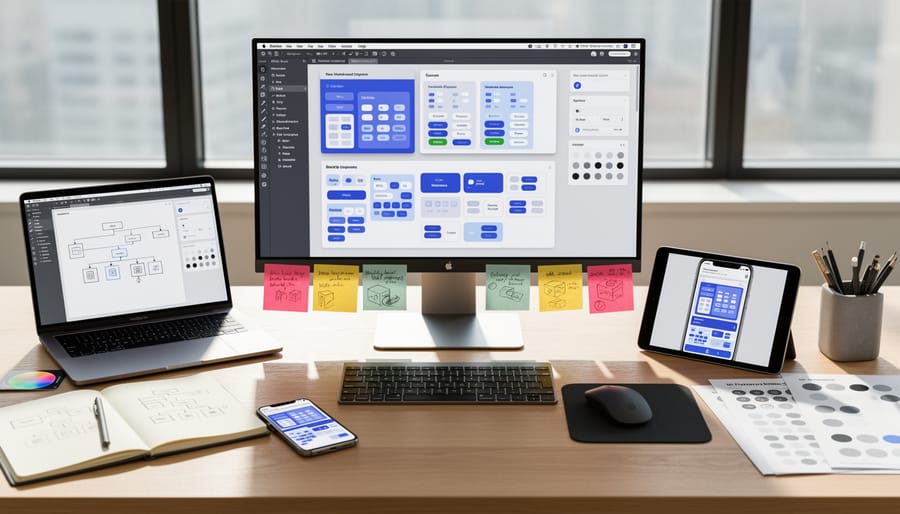
Before diving into UI design, you’ll need to choose the right tools. The good news? Most industry-standard software offers free tiers or educational discounts, making them accessible whether you’re a student or early in your career.
Figma has become the dominant platform for UI design in 2026, and it’s where most teams collaborate. It runs entirely in your browser, which means no heavy downloads and seamless sharing with colleagues. Figma excels at component-based design and real-time collaboration, multiple people can work in the same file simultaneously. The free version gives you everything you need to start, with unlimited personal files and up to three projects. For students, Figma offers free Professional plan access through verified educational institutions.
Adobe XD integrates tightly with other Adobe Creative Cloud tools, making it a natural choice if you already use Photoshop or Illustrator. It handles both design and prototyping in one workspace, letting you create interactive flows without switching apps. Adobe offers significant discounts for students and teachers, often reducing costs by 60% or more.
Sketch remains popular, especially in established design teams, but it’s Mac-only and requires a paid license after the trial period. If you’re job hunting, knowing Sketch can still be valuable since many companies haven’t migrated their legacy files. However, as a beginner choosing your first tool, Figma or Adobe XD offer better accessibility and collaboration features.
For prototyping and interaction design, ProtoPie and Principle let you create advanced animations and micro-interactions that go beyond basic click-through prototypes. ProtoPie offers a free student plan and works across Mac and Windows. These tools become more relevant once you’ve mastered the fundamentals, start with Figma’s built-in prototyping first.
Most educational institutions now provide free or discounted access to professional design tools through student verification programs. Check with your school’s technology office or digital resources portal. If you’re learning independently, focus on Figma, its free tier won’t limit your growth, and its community resources are unmatched. Nearly every UI design job posting in 2026 mentions Figma proficiency, making it the safest bet for your time investment.
Common Pitfalls to Avoid When Learning UI Design
Learning UI design opens exciting career opportunities, but certain missteps can slow your progress or create habits that hurt your work later. Recognizing these pitfalls early helps you build a stronger foundation and avoid wasted effort.
The most serious mistake is treating accessibility as optional. Many beginners focus on aesthetics while overlooking online accessibility standards creating interfaces that exclude users with disabilities. Color contrast, keyboard navigation, screen reader compatibility, and proper semantic structure aren’t advanced features, they’re fundamental requirements. The WCAG Level AA requirements provide clear guidelines that every UI designer must understand from day one.
Another common trap is copying popular design trends without understanding why they work. Glassmorphism, bold gradients, or floating elements might look impressive, but applying them without grasping the underlying principles leads to inconsistent, confusing interfaces. Learn the reasoning behind successful patterns before adapting them to your projects.
Many self-taught designers skip design systems entirely, treating each screen as a standalone creation. This approach creates visual inconsistency and makes your work harder to scale or hand off to developers. Start building component libraries and establishing rules for spacing, typography, and color usage early in your learning journey.
Finally, designing only for desktop screens neglects how most people actually use digital products. Mobile-first thinking forces you to prioritize content, simplify navigation, and consider touch interactions from the start. Retrofitting desktop designs for mobile always produces weaker results than designing with constraints in mind initially.
These mistakes aren’t failures, they’re learning opportunities that every designer encounters. The key is recognizing them early, adjusting your approach, and building practices that support inclusive, thoughtful design work from the beginning.
Step-by-Step Process to Build Your UI Design Skills
Master Visual Design Fundamentals
Visual design fundamentals form the foundation of every UI you’ll create. Start with typography: learn to pair fonts effectively, understand when to use different weights, and master line height and letter spacing. Practice by redesigning headlines and body text in existing apps, paying attention to how readability changes with each adjustment.
Color theory comes next. Study the 60-30-10 rule for color distribution, learn how contrast affects accessibility, and understand color psychology for different contexts. Create simple color palettes for fictional projects each week, testing them with contrast checkers to ensure they meet WCAG standards.
Spacing and hierarchy work together to guide user attention. Practice the 8-point grid system that most modern interfaces use. Take screenshots of well-designed apps and overlay grids to see how professional designers create visual rhythm through consistent spacing.
Here’s how to build these skills practically: Spend 30 minutes daily on Dribbble or Behance analyzing designs you admire, sketching what makes them work. Take a redesign challenge where you improve the visual design of one screen from a real app each week, focusing on one fundamental at a time.
Many universities and design schools offer free courses through platforms like Coursera and edX. Look for programs from institutions like CalArts or University of Michigan that cover design principles specifically for digital interfaces. These courses provide structured learning paths with expert feedback that accelerates your progress beyond self-study alone.
Learn Interface Patterns and Component Libraries
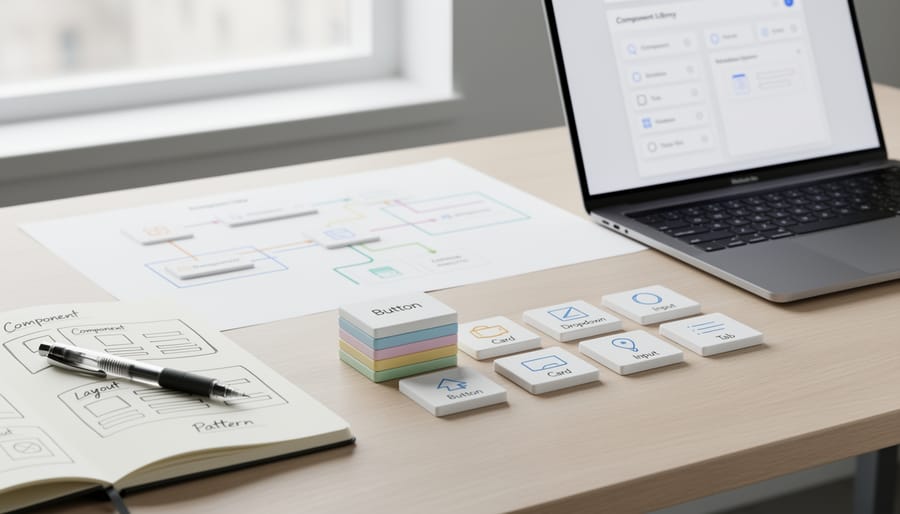
Once you understand visual fundamentals, the next step is learning how interfaces actually work in practice. This means studying the recurring patterns that make digital products intuitive and building your own collection of reusable components.
Start by examining common UI patterns you encounter daily. Navigation menus, form inputs, buttons, cards, modals, and data tables all follow established conventions for good reasons. Spend time analyzing how platforms like Spotify, Notion, or Airbnb structure their interfaces. Screenshot examples that work well and note why: Is the button hierarchy clear? Does the form flow logically? How do they handle error states?
Next, dive into design systems from companies like Material Design, Apple’s Human Interface Guidelines, or Shopify’s Polaris. These aren’t just style guides, they’re educational resources that explain the thinking behind interface decisions. You’ll learn how components relate to each other, when to use which pattern, and how consistency improves usability.
The real learning happens when you build your own component library. Create a file in Figma or Sketch containing buttons in all their states (default, hover, active, disabled), form fields with validation messages, navigation patterns for different screen sizes, and card layouts. This library becomes both a learning tool and a resource for future projects. Each component you design teaches you about constraints, states, and responsive behavior, skills that separate beginner designers from confident practitioners.
Practice with Real Projects and Case Studies
The fastest way to cement your UI skills is to apply them to actual design challenges, not just tutorials. Start with redesign exercises: pick an app or website you use daily and identify one workflow that frustrates you. Redesign that specific flow, documenting your process from problem identification through sketches, wireframes, and final high-fidelity mockups. This mirrors real-world design work and gives you concrete examples to discuss in interviews.
Volunteer projects offer practical experience with real constraints and stakeholders. Reach out to local nonprofits, student organizations, or small businesses that need design help. You’ll practice translating requirements into interfaces, presenting concepts to non-designers, and iterating based on feedback. These projects carry more weight in portfolios than self-directed work because they demonstrate collaboration skills.
Personal projects let you explore ideas without client limitations. Build a weather app interface, redesign your favorite game’s settings menu, or create a UI kit for a fictional brand. The key is completing the work: don’t abandon projects halfway through.
Document everything for your portfolio. For each project, capture your initial research or problem statement, early explorations, design decisions with rationale, and the final solution. Write brief case studies explaining what you learned and what you’d do differently next time.
Seek feedback actively. Share work-in-progress screens in design communities like Designer Hangout or Dribbble. Join portfolio review sessions offered by educational institutions and design bootcamps. Ask specific questions rather than “What do you think?” Connect with experienced designers who can point out blind spots you haven’t recognized yet.
Develop Prototyping and Interaction Skills

Once you’ve built confidence with static designs, prototyping brings your work to life and reveals how users will actually experience your interface. Start with the tools mentioned earlier, Figma, Adobe XD, and Sketch all include built-in prototyping features that let you link screens and define transitions without writing code. Begin by creating simple click-through prototypes that connect your screens in logical user flows, then gradually add complexity.
Micro-interactions make interfaces feel polished and responsive. Focus on common patterns: button hover states, loading animations, form field validation feedback, and menu transitions. Practice designing these small moments deliberately rather than relying on default behaviors. Study how established apps handle these details, then recreate them in your prototypes to understand the underlying logic.
User flow testing becomes crucial at this stage. Share your interactive prototypes with real users, classmates, colleagues, or online communities, and watch how they navigate without guidance. You’ll quickly spot where your interface confuses people or where transitions feel jarring. Record these sessions when possible and take notes on friction points. Some UX professionals expand their skills further by exploring adjacent areas like voice UI design which introduces different interaction paradigms.
Set yourself a challenge: prototype one complete user flow each week, incorporating feedback from the previous week’s testing. This regular practice builds both technical proficiency and the judgment to know which interactions serve users versus which just add visual noise.
How to Verify You’re Making Progress
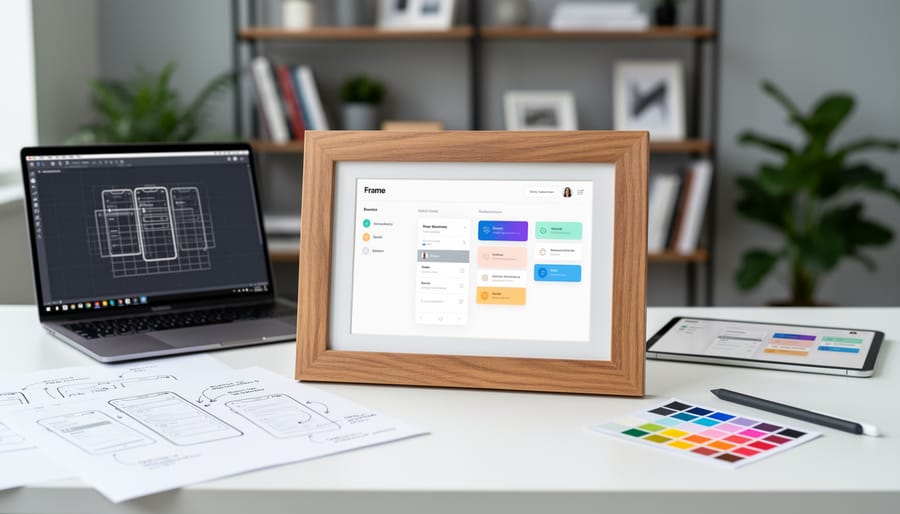
Tracking your UI skill development helps you stay motivated and know when you’re ready for professional opportunities. Portfolio quality is your most visible indicator: beginner work shows basic visual competence and a few complete screens, intermediate portfolios demonstrate consistent design systems and multiple projects with thoughtful rationale, and job-ready work includes end-to-end case studies with clear problem statements, design decisions, and measurable outcomes. If you can open one of your recent designs and confidently explain why you chose that typography scale, color palette, or button hierarchy without hesitation, you’re retaining principles rather than copying templates.
Peer feedback reveals blind spots you can’t catch alone. Share work in design communities, student groups, or with mentors from educational institutions, then listen for recurring critiques about spacing, contrast, or interaction clarity. When the same issue appears across multiple reviews, prioritize fixing it. Your ability to complete projects independently matters more than perfection: can you take a user flow from wireframe to high-fidelity prototype without constant reference checks? That signals readiness.
Concrete checkpoints that show you’re progressing include:
– You can design a complete mobile interface in under three hours without tutorials
– Your designs pass basic accessibility contrast checks consistently
– You’ve built and maintain a personal component library
– Peers understand your prototypes without requiring verbal explanation
– You recognize UI patterns in apps you use daily and can articulate why they work
Once you’re consistently hitting intermediate benchmarks, optimize your LinkedIn profile to showcase these UI capabilities alongside your UX expertise. Add your best case studies to portfolio platforms, seek informational interviews with designers at companies you admire, and consider applying for junior roles that value hybrid UX/UI skills.
Frequently Asked Questions
How long does it take to learn UI design skills as a UX professional?
Most UX professionals can develop foundational UI skills in three to six months with consistent practice, though reaching job-ready proficiency typically takes closer to a year. Your existing UX knowledge accelerates the learning process since you already understand user needs and workflows.
Do I need a formal design degree to build UI skills?
No, you don’t need a degree specifically in visual or UI design. Many successful designers build these skills through online courses, bootcamps, self-directed learning, and continuing education programs while working in UX roles.
How can I balance learning UI design with my current UX responsibilities?
Start by dedicating 30-60 minutes daily to focused practice rather than attempting long weekend sessions. Apply what you’re learning to small portions of your current UX projects, like creating higher-fidelity prototypes or contributing to design system updates, so learning directly supports your daily work.
What’s the best way to showcase new UI skills when applying for jobs?
Build a portfolio section specifically highlighting UI work, including before-and-after redesigns, component libraries you’ve created, and interactive prototypes with clear explanations of your design decisions. Even personal projects or volunteer work demonstrate capability if you document your process thoroughly.
Should I learn UI design if I want to stay focused on UX research and strategy?
While not mandatory for research-focused roles, basic UI literacy helps you communicate more effectively with design teams and understand implementation constraints. You don’t need to become an expert, but understanding visual hierarchy, typography, and component patterns makes your UX recommendations more actionable.
These questions reflect the concerns most students and young professionals raise when considering whether to expand into UI design. The learning timeline varies based on how much time you can dedicate and whether you’re applying skills immediately in real projects, but the investment pays off through increased versatility and stronger job applications. Remember that UI skills complement rather than replace your UX expertise. You’re not abandoning user research or strategic thinking, you’re adding tools that let you communicate ideas more effectively and collaborate better with visual designers and developers.
Building UI design skills transforms UX professionals into more complete designers who can execute ideas from research through to polished interfaces. The investment pays off in stronger portfolios, better collaboration with development teams, and significantly broader career opportunities. Employers in 2026 increasingly value designers who understand both strategic user experience thinking and the visual craft of interface design.
The path forward doesn’t require dramatic life changes. Start with one fundamental skill, perhaps typography or color theory, and practice it for 15 minutes daily. Complete one small redesign project this month. Download Figma and recreate a screen from your favorite app. These modest actions compound into real capability faster than you expect.
Take advantage of the resources around you. Educational institutions offer accessible courses specifically designed for working professionals building new skills. Industry experts share their processes through free tutorials and design communities. You don’t need to figure this out alone.
Your UX background gives you a natural advantage in UI design because you already understand user needs, research methods, and problem-solving approaches. Adding visual design skills completes the picture. You’ll create experiences that look as good as they function, communicate design rationale with confidence, and bring ideas to life without waiting for others.
The most important step is the first one. Open that design tool you’ve been meaning to try. Enroll in that fundamentals course. Start today, and you’ll be surprised how quickly competence builds when you practice consistently and stay curious.