
Optimizing your LinkedIn profile for job search means transforming your page into a recruiter magnet by strategically updating five core areas: your headline, About section, experience descriptions, skills endorsements, and profile photo. When done right, you’ll rank higher in recruiter searches, get 3x more profile views, and receive direct messages about opportunities that match your career goals. The entire process takes about 90 minutes and requires no special tools, just your laptop and a clear understanding of what hiring managers actually look for.
Your LinkedIn profile is often the first impression you make on potential employers, and over 87% of recruiters use the platform to vet candidates before reaching out. Yet most profiles read like outdated resumes, buried paragraphs of job duties that never get read. The difference between a profile that attracts opportunities and one that gets skipped comes down to visibility and relevance. You need to appear in recruiter searches for your target roles, and once they click, your profile needs to immediately communicate your value.
This guide walks you through each optimization step in sequence, from choosing the right keywords for your industry to setting up profile verification features that build credibility. We’ve consulted with recruitment specialists and career advisors from top universities to identify what actually moves the needle in 2026. You’ll learn which profile sections recruiters scan first, how to avoid common mistakes that flag you as inexperienced, and how to test whether your changes are working. By the end, your profile will work for you around the clock, connecting you with opportunities even while you sleep.
What You’ll Need to Optimize Your LinkedIn Profile
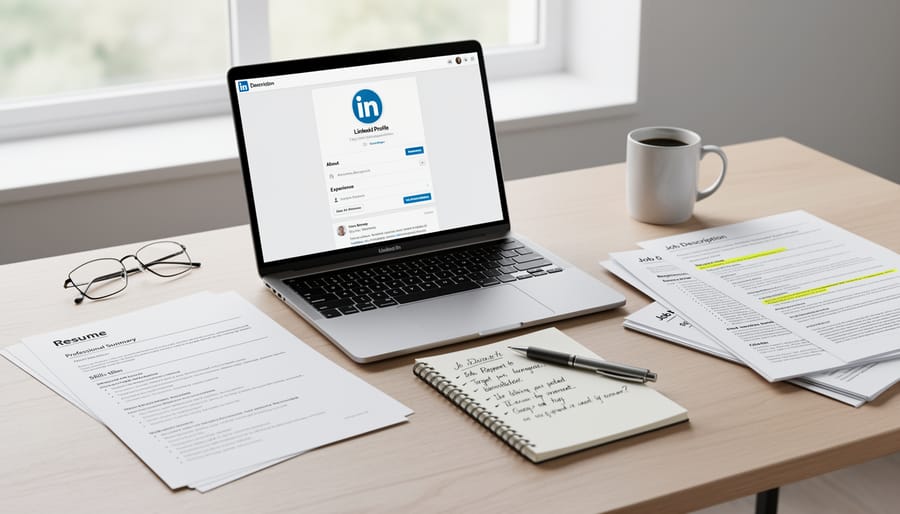
Before you start optimizing your LinkedIn profile for your job search, gather these materials to make the process efficient and focused.
Professional Photos
You need two images: a high-quality headshot and a banner image. Your headshot should show you in professional attire against a clean background, with good lighting and a friendly expression. The banner (the large background image at the top of your profile) can showcase your industry, personal brand, or professional interests. Having these ready saves time and ensures visual consistency across your profile.
Career Documents for Reference
Pull out your resume, cover letters, and any performance reviews or awards. These documents contain the language, accomplishments, and dates you’ll need to populate your profile sections accurately. They also help you identify patterns in how you describe your work, making it easier to translate that information into LinkedIn-friendly formats.
Target Job Descriptions and Keywords
Save three to five job postings for roles you want. Review them and compile a list of recurring skills, qualifications, and industry terms. These keywords will guide what you emphasize throughout your profile, helping you appear in recruiter searches for those exact positions.
Materials Checklist
- Professional headshot and banner image files
- Current resume and any career-related documents
- List of target job postings with highlighted keywords
- Names of colleagues, professors, or supervisors who can provide recommendations
- Links to portfolio work, projects, publications, or presentations
- List of certifications, courses, or relevant academic achievements
Having draft recommendation requests prepared also helps. Think about who can speak to your skills and draft a polite message explaining what role or qualities you’d like them to highlight. Portfolio links or work samples showcase what you can do beyond listing job duties, giving recruiters concrete proof of your abilities.
Collecting these resources upfront transforms optimization from a frustrating, start-stop process into a focused project you can complete in one or two sittings.
Common Pitfalls That Can Hurt Your Job Search

Before you optimize your LinkedIn profile, understand the mistakes that can sabotage your job search. Recruiters spend seconds scanning profiles, and certain errors instantly disqualify candidates regardless of qualifications.
Unprofessional profile photos remain the fastest way to lose credibility. Party shots, cropped group pictures, or poorly lit selfies signal you don’t take your career seriously. Recruiters notice, and many admit skipping profiles with casual images entirely.
Overusing keywords backfires badly. While you need searchable terms, cramming your headline with phrases like “marketing sales strategy consultant expert specialist” makes you look desperate or inexperienced. Just as keyword stuffing harms rankings in search engines, LinkedIn’s algorithm penalizes unnatural repetition by lowering your visibility in recruiter searches.
Privacy settings create hidden barriers between you and opportunities. If your profile isn’t set to public, recruiters searching outside their network can’t find you. Check that your profile URL appears in Google searches and that your activity is visible to connections.
Incomplete sections hurt more than you’d think. LinkedIn flags profiles missing key information and reduces how often they appear in searches. Empty experience descriptions, missing skills, or a blank About section tell recruiters you’re not serious about being found.
Finally, watch what you post. Recruiters review your activity feed for red flags. Political rants, complaints about employers, or unprofessional comments damage your brand even if your profile sections are perfect. Keep public posts career-focused and constructive.
Step-by-Step: Optimizing Each Section of Your LinkedIn Profile
Step 1: Create a Professional Photo and Banner
Your profile photo is the first thing recruiters see, make it count. Use a recent headshot where your face fills about 60% of the frame, shot against a plain, neutral background (light gray or white works best). Dress as you would for an interview in your target industry: business casual for most corporate roles, a polished but relaxed look for creative fields. Natural lighting from a window or soft outdoor shade beats harsh overhead lights that create shadows.
LinkedIn recommends 400 x 400 pixels minimum for profile photos; aim for a high-resolution square image to avoid pixelation. Skip the group photos, sunglasses, or casual snapshots, career coaches at top universities consistently report that unprofessional photos are the fastest way to get overlooked.
Your banner image (1584 x 396 pixels) reinforces your professional identity. Choose an image that reflects your industry: a cityscape for finance or consulting, a collaborative workspace for tech, or a design that highlights your personal brand. Keep text minimal and ensure it’s readable on mobile devices.
Avoid busy patterns that distract from your headline. Many students use free tools like Canva’s LinkedIn banner templates to create clean, professional designs. Update both images annually or whenever you shift career focus, stale visuals signal an inactive profile to recruiters scanning dozens of candidates daily.
Step 2: Write a Headline That Gets You Found
Your LinkedIn headline is searchable text that appears next to your name everywhere on the platform, making it one of the most powerful tools for getting found by recruiters. The 220-character limit forces you to be strategic about what you include.
Start with your target role or field, not just your current title. If you’re a student, avoid generic labels like “Recent Graduate” or “Student.” Instead, try formulas like: “[Target Role] | [Key Skill] + [Key Skill] | [Value or Goal]” or “[Industry] Professional | [Specialization] | Seeking [Type of Role].”
For example, a marketing student might write: “Digital Marketing Specialist | SEO & Content Strategy | Helping Brands Grow Online Presence” rather than simply “Marketing Student at State University.” A career changer could use: “Financial Analyst transitioning to Data Science | Python, SQL, Tableau | Leveraging 5 Years Finance Experience.”
Pull keywords directly from job descriptions you’re targeting. If postings repeatedly mention “project management,” “stakeholder communication,” or “Agile,” and you have that experience, work those terms in. Recruiters search LinkedIn using these exact phrases.
Career coaches consistently advise including what makes you valuable, not just what you want. Show what you bring to employers. End with a forward-looking element like “Open to [Role Type] Opportunities” if you’re actively searching, which signals availability while keeping your headline professional and keyword-rich.
Step 3: Build a Keyword-Rich About Section
Your About section (also called the summary) is where recruiters spend the most time after your headline, and where LinkedIn’s search algorithm looks for keywords that match job descriptions. This 2,600-character space should function as your professional pitch, not just a biography.
Start by identifying 8-10 keywords from your target job postings, specific skills, tools, certifications, and role-related terms that appear repeatedly. Then write in first person, opening with a hook that states who you are professionally and what value you bring. For example: “I’m a data analyst who turns complex datasets into actionable business strategies” immediately positions you while incorporating searchable terms.
Weave your keywords naturally throughout three or four short paragraphs. Describe your background, highlight 2-3 concrete achievements with numbers when possible (like “increased social media engagement by 40%”), and mention relevant projects or coursework. If your field involves online accessibility or other specialized areas, include those terms where they genuinely fit your experience.
End with a clear call-to-action that invites connection: “I’m actively seeking marketing coordinator roles in Toronto, let’s connect if you’re hiring or know of opportunities.” Career advisors at universities consistently note that profiles with specific CTAs receive more recruiter outreach than those without.
According to recruiting professionals, the About section appears in LinkedIn search results, so front-load your most important keywords in the first two sentences. Avoid keyword stuffing, write for humans first, algorithms second.

Step 4: Optimize Your Experience Entries
Your experience section is where recruiters spend the most time, so each entry needs to prove your impact, not just list duties. Start with your most recent or relevant position first, LinkedIn displays these prominently in search results.
For each role, write a brief opening line that sets context (company size, your scope), then use 3-5 bullet points focused on achievements rather than responsibilities. Begin bullets with strong action verbs like “developed,” “increased,” “managed,” or “launched.” Quantify results wherever possible: “Increased social media engagement by 40%” beats “Managed social media accounts.” Numbers make your contributions concrete and searchable.
Weave in keywords from target job descriptions naturally. If postings mention “project management,” “data analysis,” or “customer relations,” use those exact phrases where they genuinely apply to your work. This helps you surface in recruiter searches without sounding forced.
Format for scannability. Keep bullets to one or two lines each. Avoid dense paragraphs, recruiters skim quickly and will miss your best wins if they’re buried.
Include internships, volunteer roles, and academic projects if they demonstrate relevant skills. Label them clearly (“Marketing Intern” or “Volunteer Coordinator”) and treat them with the same achievement-focused approach. For students with limited experience, a strong project showcasing real skills often matters more than a long employment history. Career counselors at universities consistently report that well-framed internships and volunteer work help graduates stand out in competitive entry-level searches.
Step 5: Select and Endorse the Right Skills
LinkedIn’s skills section directly impacts whether recruiters find you. The platform’s search algorithm heavily weights the skills listed here, so choosing strategically matters more than listing everything you’ve ever done.
Start by mining 5-10 target job descriptions for the skills mentioned most frequently. Note both hard skills (specific tools, languages, certifications) and soft skills (project management, communication). Add the most relevant 30-50 skills to your profile, prioritizing those that appear repeatedly in your target roles.
Order matters: LinkedIn displays your top three skills prominently and gives them more search weight. Pin the skills most critical to your desired position at the top. For a marketing role, “Digital Marketing” ranks higher than “Microsoft Word.”
Endorsements boost credibility and visibility. Request endorsements from colleagues, classmates, or professors who can vouch for specific skills. Personalize your request: “Could you endorse me for data analysis since we worked together on the capstone project?” Generic asks get ignored.
Recruiters filter candidates by skills first, then review profiles. If “Python” appears in 80% of data analyst postings but isn’t in your top skills, you’re invisible to those searches. Update your skills list every few months as you gain experience and as job market demands shift.
Step 6: Add Education, Certifications, and Portfolio Items
Complete your Education section by listing your degrees with graduation dates (or expected dates for current students), relevant coursework that matches job descriptions, and any academic honors. Add Certifications and Licenses next, these carry significant weight with recruiters, especially for technical roles or regulated fields. Upload certificates as PDFs when possible to verify credentials.
The Featured section lets you showcase portfolio work, published articles, projects, or presentations. This visual proof of your abilities helps you stand out from candidates with text-only profiles. Include links to GitHub repositories, design portfolios, research papers, or media coverage of your work.
Don’t overlook Volunteer Experience, nonprofits and campus organizations demonstrate leadership and initiative, particularly valuable for early-career profiles. Ensure all sections follow accessible profiles best practices by using clear formatting and descriptive link text.
Focus your effort where it counts: recruiters prioritize Education and Certifications for students and recent graduates, while professionals should emphasize the Featured section to demonstrate tangible skills and accomplishments.

Step 7: Gather Recommendations and Build Your Network
Recommendations carry significant weight with recruiters, they serve as social proof of your capabilities. Request them from former supervisors, professors who know your work, or colleagues who can speak to specific skills. When asking, make it easy: remind them of projects you collaborated on and suggest they mention concrete results or qualities that align with your target roles. A strong testimonial includes specific examples, describes measurable impact, and highlights skills relevant to your job search rather than generic praise.
Growing your network strategically amplifies your profile’s reach. Connect with alumni from your school working in your target industry, recruiters at companies you’re interested in, and professionals you meet at events or through informational interviews. Personalize every connection request with a brief note explaining your shared connection or interest. Engage meaningfully by commenting on posts, sharing relevant content, and congratulating connections on their achievements. This activity signals to LinkedIn’s algorithm that you’re an engaged professional, increasing how often your profile appears in searches. For students looking to break barriers in their career journey, building these authentic relationships creates opportunities beyond what any optimized profile section can achieve alone.
How to Verify Your Profile Is Working
After optimizing your LinkedIn profile for your job search, you need concrete ways to confirm your changes are attracting recruiters. LinkedIn provides several built-in metrics that show whether your optimization efforts are paying off.
Start by checking your profile’s search appearances in LinkedIn’s dashboard under “Who’s Viewed Your Profile.” If you’re appearing in more searches after optimization, particularly for your target keywords, your profile is working. Compare your weekly profile views before and after optimization, a significant increase indicates better visibility. LinkedIn’s Social Selling Index (SSI) score, found through LinkedIn Sales Navigator or third-party tools, measures your professional brand strength on a 0-100 scale; scores above 70 typically indicate strong optimization.
Test your visibility by searching for keywords from your target job descriptions in LinkedIn’s main search bar while logged out or in a private browser. You should appear in results for your primary skills and job titles. If you don’t show up in the first few pages, revisit your headline and skills section to strengthen those keywords.
LinkedIn’s profile strength indicator (Beginner, Intermediate, Advanced, Expert, All-Star) should reach All-Star after completing optimization. Anything less means sections remain incomplete. Update your profile whenever you gain new skills, complete projects, or shift your job search focus, quarterly reviews keep your profile current and maintain search ranking.
When you’re ready to actively job search, activate LinkedIn’s “Open to Work” feature. The private setting shares your status only with recruiters using LinkedIn Recruiter, while the public setting adds a banner to your profile photo. Career counselors at educational institutions recommend starting with the private option to test interest before going public. Monitor which companies view your profile after activating this feature, as it indicates where your optimized profile resonates. LinkedIn’s accessibility features also support career accessibility for all job seekers, ensuring your optimized profile reaches the widest audience of potential employers.
Questions Job Seekers Ask About LinkedIn Optimization
How long does LinkedIn profile optimization actually take?
Plan on three to five hours if you’re starting fresh, gathering materials takes the most time. Once you have your photos, resume, and examples ready, updating each section goes quickly. You can spread the work over a few days if needed.
Should I turn on Open to Work publicly or keep it visible only to recruiters?
If you’re actively job searching and not worried about your current employer seeing it, the public setting increases visibility significantly. Students and recent graduates gain the most from the public banner since they don’t have employer concerns. Use the recruiter-only option if you’re employed and conducting a confidential search.
How often should I update my LinkedIn profile during a job search?
Update your profile whenever you gain new skills, complete projects, or earn certifications, this activity signals to recruiters that you’re engaged. At minimum, refresh your headline and skills every few months to stay current in search results.
What if I have limited work experience?
Highlight coursework, academic projects, volunteer roles, internships, and leadership positions in student organizations. Career counselors confirm that relevant skills matter more than years of experience for entry-level positions. Focus on demonstrating capabilities through concrete examples rather than worrying about job title gaps.
Do recruiters really use LinkedIn to find entry-level candidates?
Yes, recruiting professionals report that LinkedIn is now their primary tool for identifying candidates at all levels, including new graduates. Many companies specifically search for recent alumni from target universities, making an optimized profile essential even at career start.
These questions come up repeatedly in career services offices because students worry about doing something wrong or wasting effort. The reality is that LinkedIn optimization isn’t complicated once you understand what recruiters actually look for. Focus on completing your profile thoroughly, using keywords naturally, and staying active rather than obsessing over perfect wording. Most hiring managers spend under thirty seconds scanning a profile initially, so clarity and completeness matter more than polish.